Tesla has added a new setting to make it easier to grant or disable access to remote commands in a given vehicle. Now, Tesla owners have the option to completely disable remote start, adding an additional layer of security for those who don’t want to grant access to the suite of mobile commands.
Initially discovered by an X user on software 2023.27.7 this week, a new feature displays a toggle selector to “Allow Tesla to Remote Start” in the Service menu, letting owners to give or take away access from other drivers for things like remote start, honking, flashing lights and more (via Not a Tesla App). When disabled, the feature turns off the remote start feature completely.
The software version also displays the following message to users about the new setting when the information logo is selected:
When enabled, allow authorized Tesla personnel to remotely send commands like start, honk, and flash lights to this vehicle. This setting is automatically disabled when a service visit is completed.
To temporarily grant these capabilities and more to an independent repair workshop, use the “Add Driver” feature within the Tesla mobile app.
You can see a photo of the setting below.
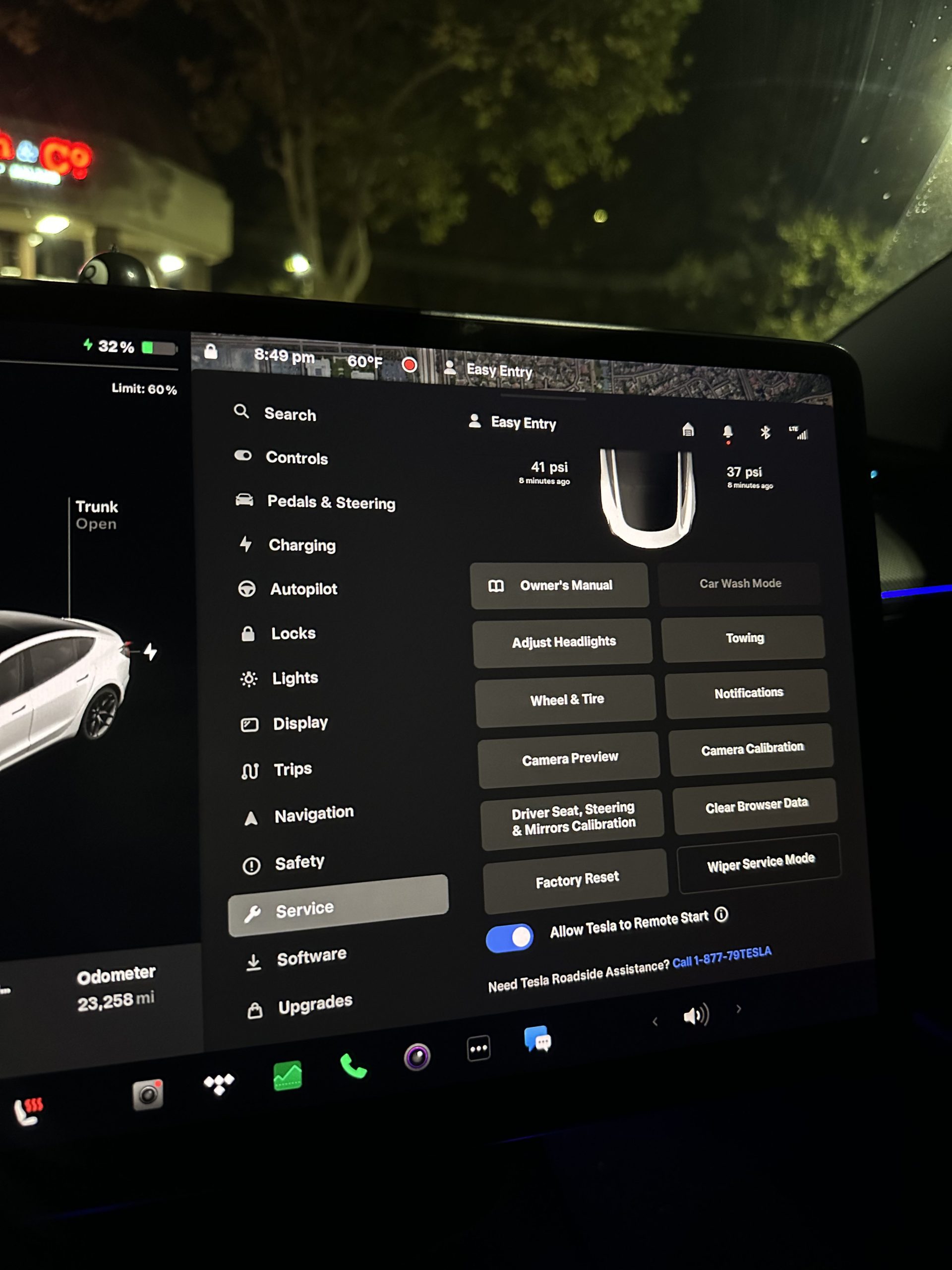
Credit: _bennettm_ | X
Another user in the thread pointed out that after recently visiting a Tesla service center, service personnel no longer needs the driver’s key card or key fob to use remote start features. Instead, owners will be able to grant access from the mobile app using the feature, as detailed by the automaker above.
The move is just the latest in Tesla’s addition of features focused on data security and consent, allowing owners to easily lock people out from remote commands when needed.
Earlier this year, Tesla added the ability to toggle passive authentication for other drivers who have been given access to the vehicle. The automaker also offers the ability to enable or disable its Sentry Mode, a feature that lets owners use the Tesla app to remotely view the car’s surroundings using its many cameras.
Tesla’s next Software Update will make Supercharger visits more predictable
What are your thoughts? Let me know at zach@teslarati.com, find me on X at @zacharyvisconti, or send your tips to us at tips@teslarati.com.